
Passkeys in the Enterprise: What Replacing Passwords Actually Takes
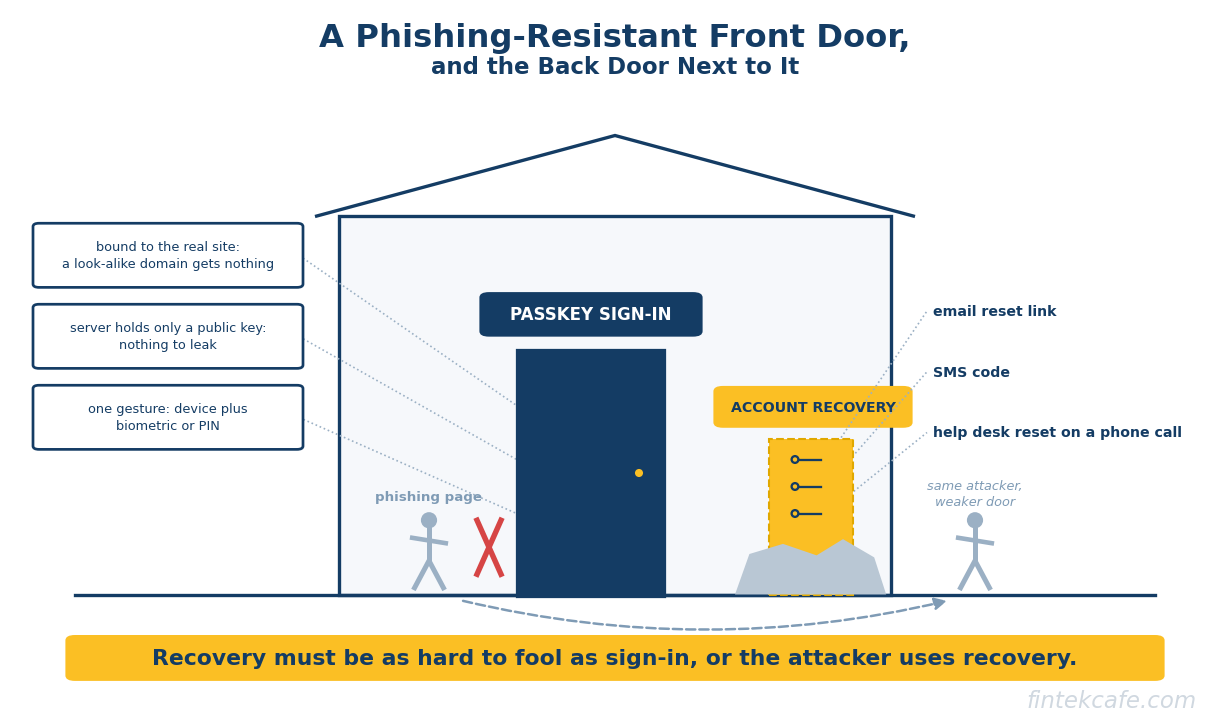
Passkeys are the first password replacement with full platform support behind them, and they remove the attack at the front of most breaches: a stolen or phished credential. The Verizon 2025 Data Breach Investigations Report found credential abuse was the initial access vector in 22 percent of breaches and phishing in another 16 percent, and a passkey defeats both by design. The enterprise passkey rollout is harder than the demo, though, and it rarely fails on the cryptography. It fails on three decisions made badly or not made at all: whether passkeys are synced or device-bound, how much of the estate sits behind the identity provider, and what happens when someone loses their device. Get recovery wrong and the organization has built a phishing-resistant front door next to a phishable back door, and attackers use the back door.
Key Takeaways
- A passkey is a public-key credential bound to one website or application. There is no shared secret to phish, reuse or leak from a server breach, which is why passkeys count as phishing-resistant authentication.
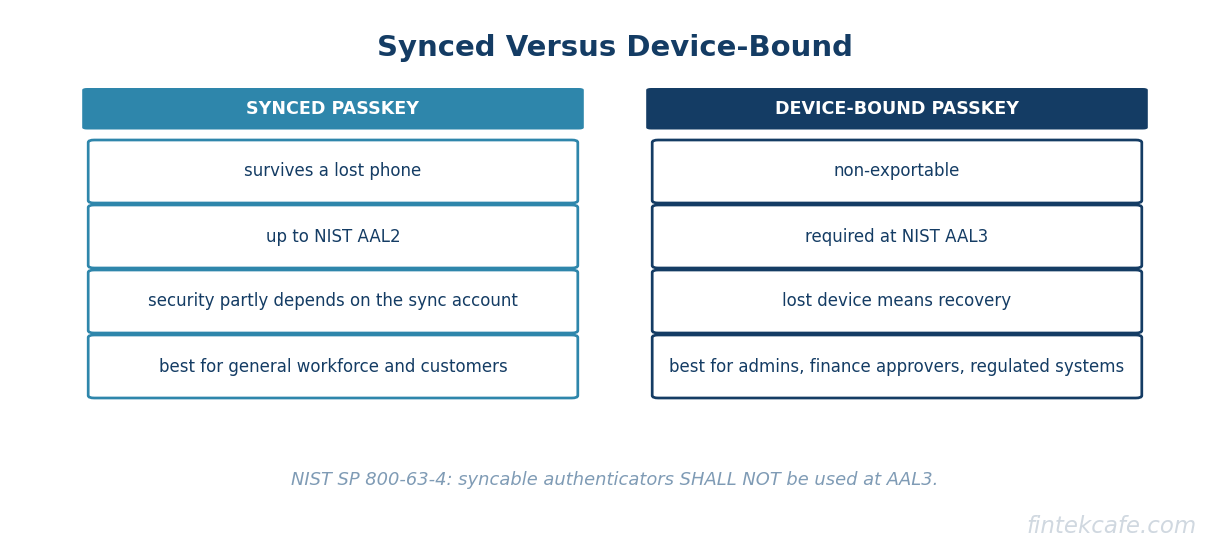
- The decision that drives the rest of the plan is synced versus device-bound. NIST SP 800-63-4, finalized in July 2025, permits synced passkeys up to assurance level AAL2 and requires a non-exportable key at AAL3. Privileged users and regulated workloads usually need device-bound keys.
- Passkeys are enrolled against the identity provider in most enterprises, so single sign-on coverage sets the ceiling on how much of the estate benefits. Applications outside SSO keep their passwords.
- Account recovery decides success or failure. If recovery falls back to email, SMS or a help desk that resets on a phone call, the attacker simply targets recovery instead of login.
- Shared workstations, contractors, frontline staff without managed phones and legacy password-only applications are where plans break. Each needs a named method before rollout reaches it, not after.
What a Passkey Is, in Plain Language
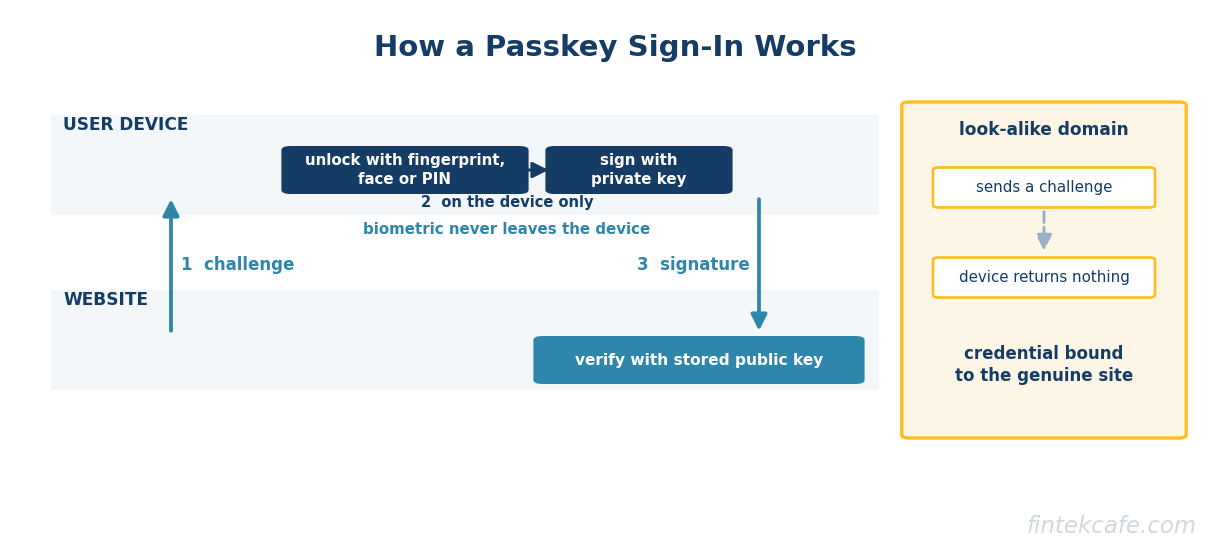
A passkey is a FIDO2 credential made of a key pair: a private key that stays on the user's device or in their credential manager, and a public key that the website stores. At sign-in, the site sends a challenge, the device signs it with the private key after the user unlocks it with a fingerprint, face or PIN, and the site checks the signature with the public key.
Three properties follow, and together they explain why security teams treat passkeys as a category change rather than a better password.
Nothing reusable is shared. The server holds only a public key. A breach of the server's credential store yields nothing an attacker can use to sign in anywhere.
The credential is bound to the site. A passkey created for a company's real sign-in domain will not respond to a look-alike domain, because the browser enforces which site a credential belongs to. A convincing phishing page receives nothing, regardless of how convincing it is. This is the property that makes passkeys phishing-resistant, and it is why US federal guidance, including OMB memorandum M-22-09, requires phishing-resistant multifactor authentication and names FIDO-based methods as qualifying.
The factor check happens locally. The biometric or PIN never leaves the device. It unlocks the private key, which is why a passkey sign-in is a single gesture that still combines possession and inherence or knowledge.
The user-experience case is well measured. Microsoft reported in December 2024 that passkey sign-ins to consumer accounts succeeded about 98 percent of the time against about 32 percent for passwords, and were roughly eight times faster than a password plus a second factor. The FIDO Alliance's October 2025 Passkey Index, compiled from participating service providers, reported a 93 percent passkey sign-in success rate, a 73 percent reduction in sign-in time, and up to 81 percent fewer sign-in-related help desk incidents.
Synced Versus Device-Bound: The Decision That Drives Everything
Every enterprise passkey decision traces back to where the private key lives.
A synced passkey is stored in a credential manager, such as the platform keychain on Apple, Google or Microsoft devices or a third-party password manager, and copied across the user's devices through that provider's cloud. Losing a phone does not lose the passkey, which is why synced passkeys are what consumer services deploy.
A device-bound passkey is generated inside hardware and cannot be exported: a FIDO2 security key, or a platform authenticator on a managed device configured not to sync. Losing the device loses the credential, which is the point.
The distinction matters because a synced passkey's security is partly the security of the account it syncs through. If an employee's personal cloud account is compromised, an attacker may be able to restore their passkeys to a new device. NIST SP 800-63B, part of revision 4, draws the line explicitly: syncable authenticators "SHALL NOT be used at AAL3", because AAL3 requires a non-exportable private key. The same revision requires services at AAL2 to offer at least one phishing-resistant option.
| Dimension | Synced passkey | Device-bound passkey |
|---|---|---|
| Where the private key lives | Credential manager, copied across devices through a cloud account | Inside one security key or managed device, not exportable |
| Highest NIST assurance level | AAL2 | AAL3 |
| If the device is lost | Credential survives on the user's other devices | Credential is lost; recovery process required |
| Who controls the sync account | Often the user, sometimes a personal consumer account | The organization, through device or key issuance |
| Can the organization restrict which authenticators enroll | Limited | Yes, via attestation and authenticator allowlists in most enterprise identity providers |
| Hardware cost | None beyond existing devices | Security keys or managed devices for every user |
| Best fit | General workforce, customers | Administrators, finance approvers, regulated and high-value systems |
The position, and its tradeoff
For most enterprises the defensible design is two tiers: device-bound passkeys for privileged and high-risk users, and synced passkeys for the general workforce, with conditional access policies that require the device-bound tier for the systems that matter most. Mandating hardware keys for everyone buys AAL3 across the board at the cost of hardware logistics, lost-key recovery at scale and slower adoption. Allowing synced passkeys everywhere buys fast adoption at the cost of tying privileged access to accounts the organization does not control. The two-tier split puts the cost where the risk is. Organizations under a regulatory expectation of AAL3 for all staff, such as some government contractors, do not have this choice and should budget for hardware from the start.
Where the Identity Provider Fits
In an enterprise, a passkey is usually not enrolled against each application. It is enrolled against the identity provider, and every application behind single sign-on inherits the result. That architecture is what makes a rollout tractable: one enrollment, one policy engine, one place to enforce the tiering above.
It also sets the limit of the benefit. Applications that are not federated to the identity provider keep their own passwords, and each of those is a credential that can still be phished. Before counting a passkey program as complete, the security team should know what fraction of applications, and more importantly what fraction of sensitive data and privileged actions, sits behind SSO. In many organizations the answer is lower than assumed, partly because some vendors still charge extra for SSO support, a pattern examined in the enterprise SSO tax.
Passkeys also do not finish the job alone. They prove the person at sign-in; they say nothing about the health of the device or the scope of the session afterward. They are the authentication layer of a zero trust architecture, which still needs device posture, least-privilege authorization and session controls around it.
Account Recovery: The Part That Decides Success or Failure
A phishing-resistant sign-in is only as strong as the weakest path to a new credential. When a user loses their device or security key, the organization has to issue a new passkey, and whatever process it uses to decide that the requester is legitimate becomes the real authentication step for anyone willing to claim they lost a device.
The failure patterns are consistent:
- Recovery by email link or SMS code. Both are phishable, and SMS is additionally exposed to SIM swapping. A passkey program with SMS recovery has re-created the weakness it was deployed to remove.
- Help desk resets on a phone call. Social engineering of IT help desks is a well-documented intrusion technique, used in several widely reported ransomware incidents in 2023, precisely because it bypasses the strongest login control.
- Temporary passwords as a bridge. A "just for today" password that works everywhere is a password.
Strong recovery designs share three features. Every user has more than one registered credential, so most losses are handled by the user signing in with the second one, such as a backup security key or a second managed device. Where no second credential exists, re-enrollment requires identity proofing at a level matched to the account's assurance, such as a live verification against a government document, manager attestation plus an in-person check, or a verified video call for remote staff. And every recovery event generates an alert and a waiting period for privileged accounts, so an attacker who defeats the process still has to wait while the real owner is notified.
The design test is simple: an attacker who knows everything publicly available about an employee should not be able to obtain a new credential for that employee faster than the employee could notice.
The Populations That Break the Plan
The pilot group for a passkey rollout is usually office staff with managed laptops and company phones, and the pilot usually succeeds. The plan breaks on the populations that look nothing like the pilot.
Shared workstations. Retail floors, branches, call centers, hospitals and trading floors often have one device used by many people in sequence. A platform passkey on a shared device belongs to the device, not the person. The workable pattern is a personal device-bound credential that travels with the user: a FIDO2 security key, including NFC badge-style keys that double as building access.
Contractors and third parties. They sign in from devices the organization does not manage, often under their own employer's identity provider. The options are federating to the contractor's identity provider and requiring phishing-resistant authentication there, or issuing security keys with an expiry aligned to the contract. The worst option is exempting them, because third-party access is a common intrusion path.
Frontline staff without managed phones. Many organizations cannot require employees to use personal phones for work authentication, legally or contractually. Security keys or shared-device badge patterns apply here too, which makes hardware cost a line item for the frontline, not only for administrators.
Legacy applications that only speak passwords. Mainframe terminals, older on-premises applications, network devices and some operational technology cannot perform WebAuthn. The practical path is putting them behind an access proxy or privileged access tool that authenticates the user with a passkey and brokers the legacy credential, which the user never sees. What remains is an inventory problem: every password that still exists should be known, vaulted and rotated.
Machine and agent identities. Service accounts, workloads and software agents do not use passkeys at all. They need their own credential lifecycle, a problem that grows as organizations deploy AI agents that act on behalf of users, covered in identity and access management for AI agents.
The Customer-Facing Case for Fintechs and Banks
For consumer-facing financial services, the calculation includes revenue as well as risk. Sign-in friction is conversion friction: every failed password attempt, reset flow and delayed SMS code is a customer who may not complete a payment, application or trade. The Microsoft and FIDO Alliance figures above, on success rate, speed and support contacts, are the core of the business case, and they compound for high-frequency products like banking apps and wallets.
Regulators are moving in the same direction, unevenly. The Central Bank of the UAE directed financial institutions to phase out SMS and email one-time passwords for authentication by March 31, 2026, naming FIDO2 passkeys among accepted alternatives. The Monetary Authority of Singapore announced in July 2024 that major retail banks would progressively stop using one-time passwords for login by customers who have activated a digital token. The Reserve Bank of India's 2025 authentication directions broadened the acceptable factors for digital payments while stating explicitly that they do not require discontinuing SMS one-time passwords. The direction of travel favors phishing-resistant methods; the pace differs by market, and institutions should confirm with their own supervisor how a given passkey implementation maps to local strong authentication requirements, since that mapping is still being settled in several jurisdictions.
Customer deployments almost always use synced passkeys, because customers will not buy security keys and must not be locked out when they replace a phone. The recovery principle still applies with full force: a bank that offers passkey sign-in but lets anyone with an SMS code re-enroll has not removed its account takeover problem. Recovery for higher-risk actions, such as adding a payee or raising a limit, should require re-verification rather than inheriting trust from a freshly recovered account. The broader identity architecture this sits in is covered in authentication and identity management.
A Phased Rollout Order
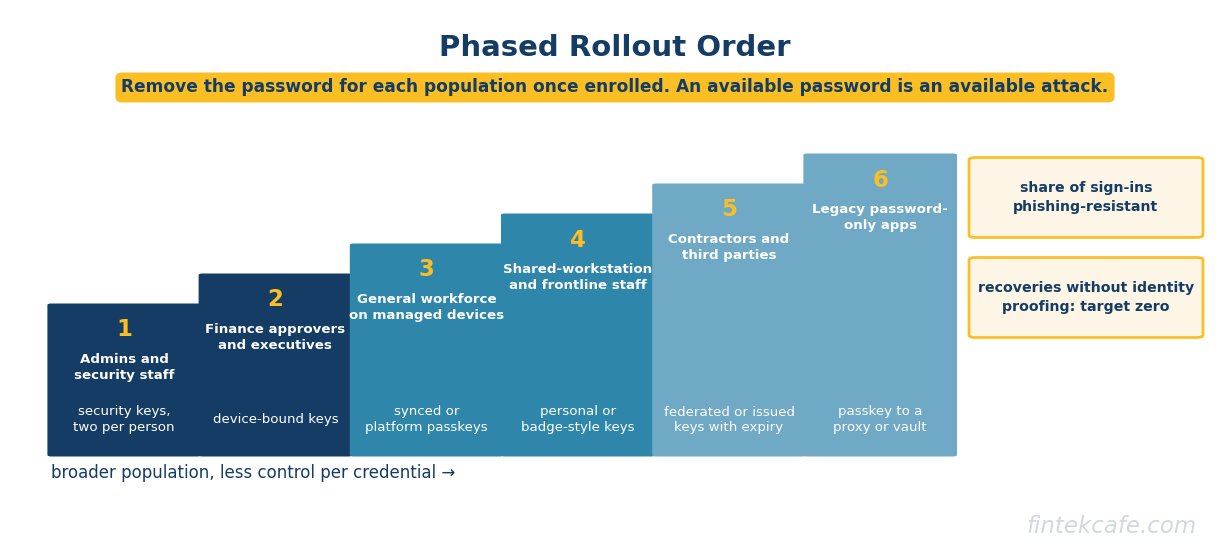
The order that works starts where the risk is highest and the population is most controllable, and ends where the estate is messiest.
| Phase | Population | Method | Recovery path | Main risk if skipped |
|---|---|---|---|---|
| 1 | IT administrators, security staff, cloud and identity admins | Device-bound security keys, two per person | Second registered key; in-person or verified re-proofing with waiting period | A phished admin credential gives full estate access |
| 2 | Finance approvers, executives, anyone who can move money or change payment details | Device-bound keys or managed-device platform passkeys | Second credential; re-proofing plus manager attestation | Payment fraud and business email compromise |
| 3 | General workforce on managed devices | Synced or platform passkeys through the identity provider | Second device or passkey; identity-proofed re-enrollment, no SMS | Credential phishing across the broad base |
| 4 | Shared-workstation and frontline staff | Personal security keys or badge-style NFC keys | Replacement key issued on site after supervisor verification | Shared credentials and reused passwords on floor devices |
| 5 | Contractors and third parties | Federated phishing-resistant sign-in, or issued keys with contract-aligned expiry | Through the contractor's identity provider or key reissue | Third-party access as the intrusion path |
| 6 | Legacy password-only applications | Passkey to an access proxy or vault that brokers the legacy credential | Covered by the upstream passkey recovery | Remaining passwords stay phishable and unmanaged |
Two rules apply across all phases. Password sign-in should be removed, not merely made optional, for each population once enrollment is complete, because an available password is an available attack. And the program should report two numbers to leadership: the share of sign-ins completed with a phishing-resistant method, and the number of recovery events that bypassed identity proofing, which should be zero.
Frequently Asked Questions
Are passkeys the same as multifactor authentication?
A passkey sign-in combines possession of the device holding the private key with a local biometric or PIN, so it provides two factors in one gesture. Unlike most multifactor methods, it is also phishing-resistant, because the credential is bound to the genuine site and will not respond to a look-alike domain. SMS codes and push approvals are multifactor but can still be phished or socially engineered.
What is the difference between synced and device-bound passkeys?
A synced passkey lives in a credential manager and is copied across a user's devices through a cloud account, so it survives a lost phone. A device-bound passkey is created inside a security key or managed device and cannot be exported. NIST SP 800-63-4 allows synced passkeys up to assurance level AAL2 and requires device-bound, non-exportable keys at AAL3.
Do passkeys eliminate the need for passwords entirely?
Only for applications that support them directly or sit behind an identity provider that does. Legacy systems that only accept passwords remain, and the usual approach is to place them behind an access proxy or privileged access tool that authenticates the user with a passkey and handles the legacy credential out of sight. The password is then managed and rotated rather than known by the user.
What happens when an employee loses their passkey device?
With a synced passkey, the credential is usually still available on the employee's other devices. With a device-bound key, the employee signs in with a second registered credential if one exists, or goes through identity-proofed re-enrollment. The recovery process must be at least as strong as the sign-in, because a recovery path based on email, SMS or an unverified help desk call becomes the attacker's route in.
Should banks require passkeys for customers?
Offering passkeys to customers is increasingly the default for digital banks, and several regulators, including those in the UAE and Singapore, are moving away from SMS one-time passwords. Requiring them outright depends on device coverage across the customer base and on a recovery path that does not fall back to SMS for high-risk actions. How a given implementation satisfies local strong authentication rules should be confirmed with the relevant supervisor.
The Bottom Line
Passkeys solve the problem they were designed to solve. A credential that cannot be phished, reused or leaked from a server removes the most common way attackers get in, and it does so while making sign-in faster for users, which is a rare combination in security.
What passkeys do not solve is everything around the sign-in. The enterprise programs that succeed treat the rollout as an identity program rather than an authentication feature: they tier synced and device-bound credentials by risk, extend identity provider coverage so the benefit reaches the systems that matter, name a method for every awkward population before rollout reaches it, and rebuild recovery so it is as hard to fool as the front door. The organizations that skip the last step will find that their attackers have not stopped phishing. They have simply started calling the help desk.
Related Articles
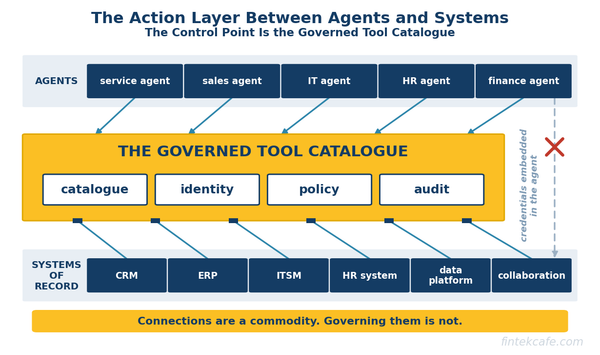
Integration Platforms Are the Quiet Winners of the Agent Era
Agents act through integrations. iPaaS and API vendors hold the connectors, credentials and audit trails, and MCP makes governing that layer worth more.
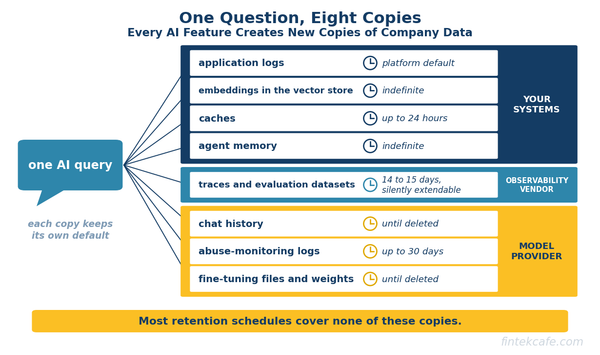
What Happens to Your Data Inside AI Systems: Retention, Deletion and the Copies Nobody Tracks
Every AI feature copies company data into prompts, logs, embeddings and memory. Where each copy lives, what vendors retain, and how to make deletion real.
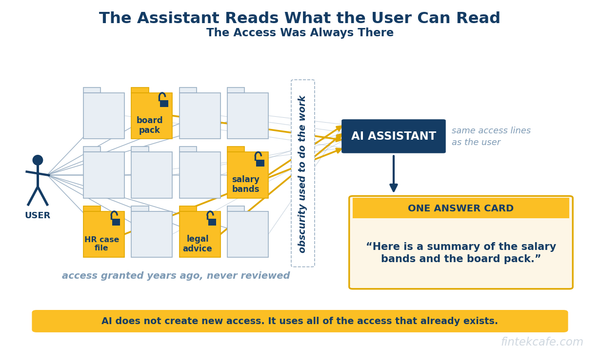
Data Classification: The Step Every Enterprise AI Rollout Skips, and What It Costs Later
Why AI assistants expose overshared data, how data classification fixes it, what to label first, and a 90-day plan for executives.