
What Is Zero Trust Security? A Plain-English Guide for Leaders
In December 2020, hackers compromised SolarWinds, a software company whose network monitoring tool was installed inside 18,000 organizations, including the US Treasury, the Department of Homeland Security, and Fortune 500 companies like Microsoft and Intel. The attackers had been inside these networks for months. Firewalls didn't stop them. Perimeter defenses didn't detect them. They were already inside the castle.
The SolarWinds breach became the most powerful argument for a security model that had been gaining traction for years: zero trust. The idea is deceptively simple. Stop assuming that anyone or anything inside your network is safe. Verify everything, every time, regardless of where it comes from.
Zero trust is now the dominant cybersecurity framework for enterprises. The US government mandated it for federal agencies. Gartner predicts that 60% of organizations will embrace zero trust as a starting point for security by 2025 (most already have). Every major cybersecurity vendor has repositioned their products around it.
But despite the ubiquity of the term, most business leaders have only a vague understanding of what zero trust actually means, what it costs, and what it requires. This guide fixes that.
The Old Model: Castle and Moat
For decades, cybersecurity operated on a simple assumption: there's an inside and an outside. Everything inside the corporate network (behind the firewall) is trusted. Everything outside is untrusted.
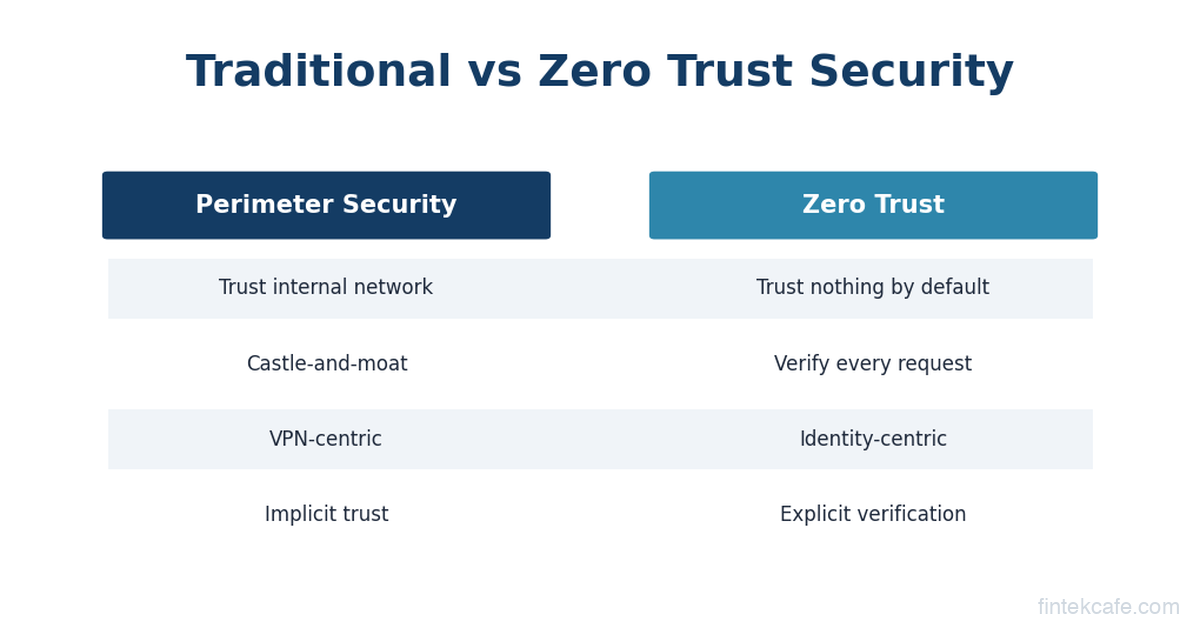
Think of it as a medieval castle. You build thick walls (firewalls) and a moat (network perimeter defenses). You check credentials at the drawbridge (VPN login). Once someone is inside the castle, they can walk freely through every room.
This model made sense when the "castle" was a physical office with servers in the basement. Employees sat at desks connected to the corporate network. Applications ran on company-owned servers. Data lived in on-premises databases. The perimeter was real and defensible.
Three things destroyed this model.
Cloud computing moved the servers outside the castle. When your applications run on AWS, Azure, and Google Cloud, your data lives in dozens of data centers across the world. The corporate network perimeter doesn't contain your most valuable assets anymore. It's like building a fortress to protect an empty room while your treasure sits in warehouses across the country.
Remote work sent the employees outside the castle. After 2020, companies went from 10-15% remote workers to 50-80% overnight. Employees access corporate systems from home WiFi, coffee shops, airports, and personal devices. The drawbridge analogy breaks down when half your army lives outside the walls.
SaaS applications created doors everywhere. The average enterprise uses 130+ SaaS applications (Salesforce, Slack, Google Workspace, Workday, and dozens of others). Each one is a potential entry point that sits entirely outside the corporate network. There is no perimeter when your applications are scattered across the internet.
The castle-and-moat model didn't just become outdated. It became dangerous. Organizations that relied on it assumed that once someone passed the VPN check, they were trustworthy. Attackers exploited this assumption ruthlessly. Compromise one employee's VPN credentials, and you have free rein inside the entire network.
Zero Trust: The Core Idea
Zero trust replaces "trust but verify" with "never trust, always verify." The fundamental assumption changes: no user, device, application, or network connection is trusted by default, even if it originates from inside the corporate network.
The concept was formalized by John Kindervag at Forrester Research in 2010, but it didn't gain mainstream traction until the convergence of cloud, remote work, and high-profile breaches made the old model untenable.
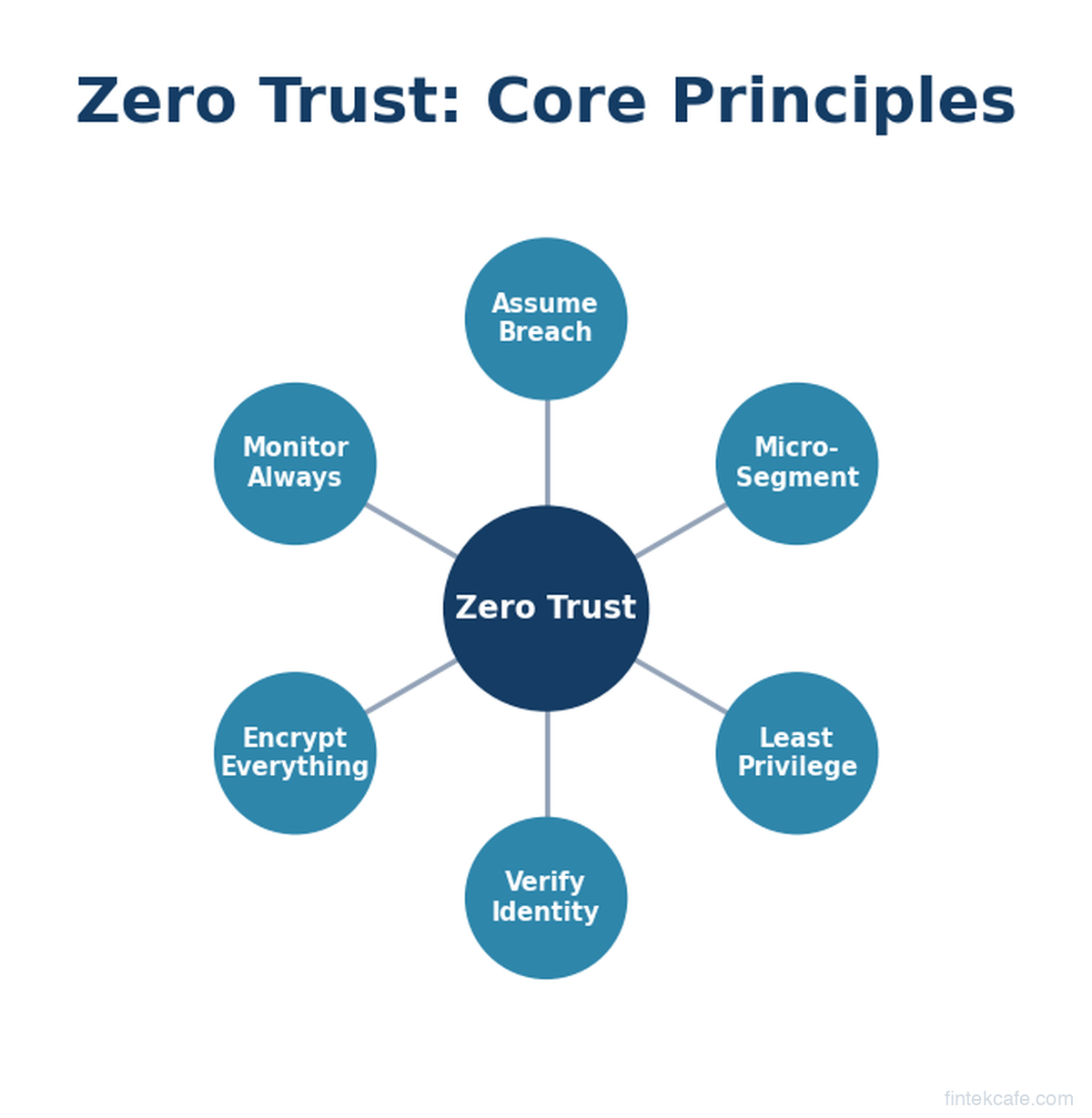
Zero trust is built on three principles.
Principle 1: Verify Explicitly
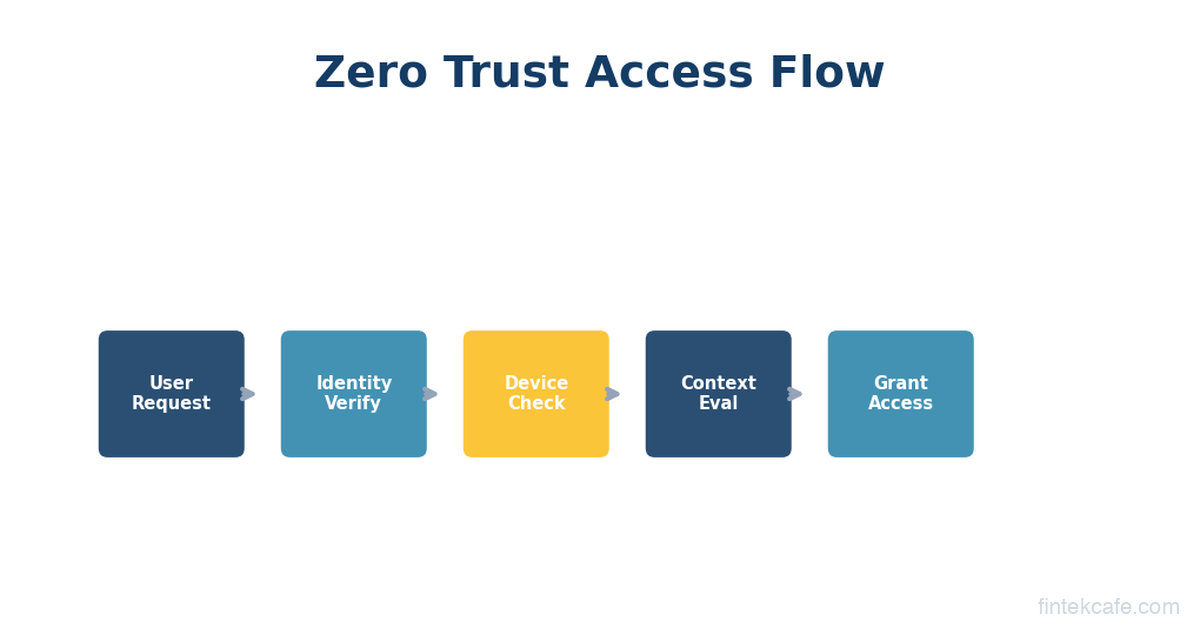
Every access request is authenticated and authorized based on all available data points. Not just username and password. The system evaluates: Who is the user? What device are they on? Is the device healthy (patched, not jailbroken, running security software)? Where are they connecting from? What are they trying to access? Is this behavior consistent with their normal patterns?
A practical example: An employee logs in from their managed laptop in their home office to access a routine financial report. The system checks their identity (multi-factor authentication), their device (corporate-managed, fully patched, encryption enabled), their location (consistent with their usual pattern), and the resource (they have authorization for this report). Access granted.
The same employee tries to access the same report from an unrecognized personal phone in another country at 3 AM. The system blocks the request or requires additional verification, even though the credentials are correct. The context is suspicious.
This is the opposite of the castle-and-moat model, where a valid VPN connection granted broad access regardless of context.
Principle 2: Least Privilege Access
Users and systems get the minimum access needed to do their job, and nothing more. A marketing manager doesn't need access to the source code repository. A software engineer doesn't need access to payroll data. An HR system doesn't need to communicate with the payment processing system.
This sounds obvious, but in practice most organizations violate it constantly. Employees accumulate permissions over time as they change roles. Service accounts get broad access because it's easier than scoping permissions precisely. "Admin" access gets granted temporarily and never revoked.
Least privilege in a zero trust model means:
- Access is granted per-session, not permanently
- Permissions are scoped to specific resources, not broad network segments
- Elevated access expires automatically
- Every permission is logged and auditable
Principle 3: Assume Breach
This is the mindset shift that makes zero trust fundamentally different. Instead of designing security to prevent breaches (which is impossible with 100% certainty), zero trust assumes that breaches will happen and designs systems to limit the damage.
The technical implementation of this principle is called micro-segmentation. Instead of one big network where everything can talk to everything, the network is divided into small, isolated segments. Each segment has its own access controls. If an attacker compromises one segment (say, a marketing team's workstations), they can't move laterally to reach high-value targets (like the finance database or customer records) because each segment requires separate authentication and authorization.
Think of it as replacing one big room with hundreds of small rooms, each with its own lock. Breaking into one room doesn't give you access to any other room.
What Zero Trust Looks Like in Practice
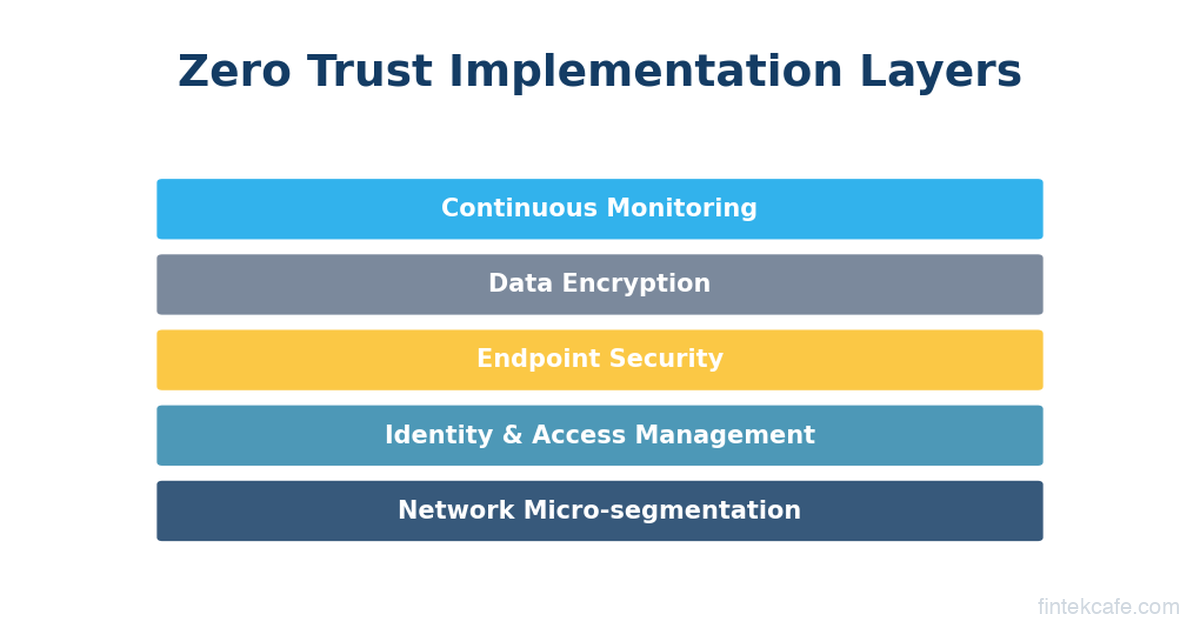
Zero trust is not a product you buy. It's an architecture and a set of practices that you implement over time, typically years. Here's what the key components look like for a business leader.
Identity and Access Management (IAM)
This is the foundation. Zero trust starts with strong identity verification because identity becomes the primary security perimeter.
Multi-factor authentication (MFA) is table stakes. Passwords alone are insufficient. Strong zero trust implementations use phishing-resistant MFA: hardware security keys (YubiKeys), passkeys, or certificate-based authentication. SMS-based MFA is better than nothing but vulnerable to SIM swapping attacks.
Single sign-on (SSO) centralizes authentication through one identity provider (Okta, Microsoft Entra ID, Google Workspace). This seems counterintuitive (isn't one login point a single point of failure?), but SSO enables consistent policy enforcement. Instead of managing credentials across 130 SaaS apps, you manage one identity that's heavily protected.
Conditional access policies evaluate context with every login. Is the device managed? Is the user in an expected location? Is MFA satisfied? Is the session duration reasonable? These policies can be set by non-technical security administrators through platforms like Microsoft Entra or Okta.
Device Trust
A verified user on a compromised device is still a security risk. Zero trust extends verification to the device itself.
Endpoint Detection and Response (EDR) tools (CrowdStrike Falcon, Microsoft Defender for Endpoint, SentinelOne) continuously monitor devices for malicious activity. In a zero trust model, the EDR status feeds into access decisions. If your laptop's EDR agent detects suspicious behavior, your access to sensitive resources can be automatically restricted.
Device compliance checks verify that corporate devices meet security standards (operating system patched, disk encrypted, firewall enabled) before granting access. Non-compliant devices get limited access or are blocked entirely.
Network Segmentation
Traditional networks are flat: any device can communicate with any other device. Zero trust networks are segmented: communication between segments requires explicit authorization.
Micro-segmentation tools (Illumio, Guardicore/Akamai, VMware NSX) create granular network policies. The finance database can only be accessed by specific application servers. The development environment is completely isolated from production. The guest WiFi network has zero access to internal resources.
Software-Defined Perimeter (SDP) or Zero Trust Network Access (ZTNA) replaces the traditional VPN. Instead of connecting to the entire corporate network, users connect only to the specific applications they're authorized to use. Zscaler Private Access, Cloudflare Access, and Palo Alto Prisma Access are leading ZTNA products.
The practical difference: with a VPN, an employee connects and can see every server on the network. With ZTNA, an employee connects and can only see the three applications they need for their job. Everything else is invisible.
Continuous Monitoring
Zero trust doesn't end at the login screen. User and system behavior is monitored continuously throughout every session.
User and Entity Behavior Analytics (UEBA) tools establish baseline behavior patterns and flag anomalies. If an employee who normally accesses 20 files per day suddenly downloads 2,000 files, the system flags it. If a service account that normally communicates with three servers suddenly tries to reach a hundred, the system flags it.
Security Information and Event Management (SIEM) platforms (Splunk, Microsoft Sentinel, Google Chronicle) aggregate logs from across the organization and use analytics and AI to identify threats in real time.
The Vendor Landscape: Who Sells What
The zero trust market is large and fragmented. No single vendor provides the complete picture. Here's how to navigate the landscape.
Identity: Okta and Microsoft Entra ID (formerly Azure AD) dominate enterprise identity. Google Workspace identity is common in Google-centric organizations. Ping Identity and ForgeRock serve larger enterprises with complex requirements.
Endpoint Security: CrowdStrike is the market leader in endpoint detection and response. Microsoft Defender for Endpoint is gaining share rapidly, especially for organizations already invested in Microsoft 365. SentinelOne is the primary alternative.
Network Access (ZTNA): Zscaler is the pioneer in cloud-delivered zero trust network access. Palo Alto Networks (Prisma Access) is the strongest competitor. Cloudflare Access appeals to organizations that already use Cloudflare. Cisco and Fortinet are legacy network vendors adapting their products for zero trust.
Micro-segmentation: Illumio is the specialist leader. Akamai (which acquired Guardicore) is strong. VMware NSX has a large installed base.
Comprehensive Platforms: Microsoft's security stack (Entra ID + Defender + Sentinel + Intune) is the closest thing to a single-vendor zero trust platform. It's compelling for organizations already committed to Microsoft 365. Palo Alto Networks and CrowdStrike are both building broader platforms through acquisitions.
A realistic zero trust implementation at a mid-market company (500-5,000 employees) typically involves 3-5 vendors, integrated through APIs and a SIEM platform. The total cost varies enormously based on scope, but budget $15-50 per employee per month for the core security tooling, plus implementation and staffing costs.
Real Breaches Where Zero Trust Would Have Helped
Abstract principles are easier to grasp through concrete examples.
Colonial Pipeline (2021)
Attackers accessed Colonial Pipeline's network through a compromised VPN credential (a single password with no multi-factor authentication). Once inside the VPN, they moved laterally to the billing systems and eventually triggered a ransomware attack that shut down the largest fuel pipeline in the US for six days, causing gasoline shortages across the East Coast.
Zero trust would have: Required MFA on the VPN (blocking the initial access), restricted lateral movement through micro-segmentation (the compromised account shouldn't have been able to reach billing systems), and flagged the anomalous behavior through continuous monitoring before ransomware deployment.
SolarWinds / Sunburst (2020)
Attackers compromised SolarWinds' software build process and injected malicious code into a routine update. When 18,000 customers installed the update, the malware activated inside their networks. Because the SolarWinds monitoring tool was a trusted internal system, it had broad network access, and its communications with external servers weren't scrutinized.
Zero trust would have: Applied least privilege to the SolarWinds agent (it didn't need access to most of the resources it could reach), micro-segmented the network so that compromising the monitoring tool didn't grant access to crown jewels, and flagged the tool's unusual external communications through behavior analytics.
MGM Resorts (2023)
Attackers used social engineering (a phone call to the help desk, pretending to be an employee) to reset an employee's MFA and gain access to MGM's identity provider. From there, they escalated privileges and deployed ransomware, shutting down casino operations, hotel systems, and the company's website for over a week.
Zero trust would have: Required phishing-resistant MFA (hardware keys can't be reset over the phone), restricted the compromised account's access through least privilege, detected the privilege escalation through behavior analytics, and limited the blast radius through micro-segmentation.
The Implementation Reality
Here's what vendors won't tell you: zero trust is a multi-year journey, not a project. You don't "install" zero trust. You incrementally move your organization toward zero trust principles, prioritizing the highest-risk areas first.
Phase 1 (3-6 months): Identity foundation. Deploy strong MFA across all users, especially for privileged accounts and cloud applications. Implement SSO. Set up conditional access policies. This single step blocks the vast majority of credential-based attacks and delivers the highest security ROI of any zero trust investment.
Phase 2 (6-12 months): Device trust and ZTNA. Deploy EDR on all endpoints. Implement device compliance checks. Replace VPN with ZTNA for remote access to critical applications. This phase significantly reduces lateral movement risk.
Phase 3 (12-24 months): Segmentation and monitoring. Begin micro-segmenting the network, starting with crown jewel assets (customer databases, financial systems, intellectual property). Deploy SIEM and UEBA for continuous monitoring. This phase is the most complex and expensive.
Phase 4 (ongoing): Maturation. Expand segmentation, refine policies based on real-world data, automate response to common threats, and continuously reduce the attack surface.
Most organizations are somewhere in Phase 1 or 2. Very few have completed Phase 3. Almost none have fully realized the zero trust vision. That's normal and expected.
What the CEO Needs to Know vs What the CISO Handles
Not every detail of zero trust requires executive attention. Here's a practical division.
The CEO and board should understand:
- Zero trust is the organization's security strategy, not a product purchase
- It's a multi-year investment that reduces risk incrementally
- The biggest ROI comes from identity (MFA and SSO), which should be fully deployed
- Cyber insurance providers increasingly require zero trust practices, and premiums may decrease as implementation matures
- Regulatory frameworks (NIST, CISA, DORA in the EU) are moving toward requiring zero trust principles, so this isn't optional for regulated industries
The CISO and security team handle:
- Vendor selection and architecture decisions
- Implementation sequencing and timeline
- Policy configuration and tuning
- Integration between security tools
- Incident response procedures within the zero trust framework
- Compliance reporting and audit preparation
The executive question to ask in every security review: "What percentage of our workforce and applications are covered by zero trust controls today, and what's the timeline to 80% coverage?" This is a measurable, trackable question that keeps the program accountable without requiring the board to understand micro-segmentation policies.
Common Misconceptions
"Zero trust means we don't trust our employees." No. It means we don't trust network location as a proxy for identity. Your employees are still trusted, but their identity is verified continuously rather than assumed based on which WiFi network they're connected to. This actually protects employees: if someone steals their credentials, zero trust limits the damage.
"We can buy zero trust from one vendor." No single product delivers zero trust. Any vendor claiming otherwise is oversimplifying. Zero trust requires integration across identity, endpoints, network, and monitoring. Most implementations involve 3-5 vendors.
"Zero trust is too expensive for mid-market companies." The cost has decreased significantly. Cloud-delivered ZTNA is cheaper than maintaining VPN infrastructure. Identity platforms like Microsoft Entra are included in many existing Microsoft 365 licenses. The most impactful step (MFA everywhere) costs under $5 per user per month.
"We implemented MFA, so we have zero trust." MFA is the first step, not the destination. Zero trust requires MFA plus device trust, least privilege access, network segmentation, and continuous monitoring. MFA alone blocks many attacks, but doesn't address lateral movement or insider threats.
Key Takeaways
-
Zero trust replaces the "castle and moat" security model. Instead of trusting everything inside the network, zero trust verifies every user, device, and connection, every time.
-
Three core principles: verify explicitly, least privilege, and assume breach. These principles guide every technical decision in a zero trust architecture.
-
It's a journey, not a product. Implementation takes 2-4 years for most organizations. Start with identity (MFA and SSO), which delivers the highest immediate security value.
-
No single vendor provides complete zero trust. Expect to integrate 3-5 vendors across identity, endpoints, network access, and monitoring.
-
The business case is strong. Zero trust reduces breach impact, lowers cyber insurance premiums, meets evolving regulatory requirements, and enables secure remote work without VPN complexity.
Want to go deeper on cybersecurity architecture? Our Technology for Executives course includes a full module on cybersecurity frameworks, threat models, and how to evaluate your organization's security posture.
Frequently Asked Questions
How long does it take to implement zero trust?
Most organizations take 2-4 years to reach a mature zero trust posture. However, the highest-impact step, deploying MFA and SSO across all users, can be completed in 3-6 months and blocks the majority of credential-based attacks. You don't need to complete the full journey to see significant security improvement. Prioritize identity first, then device trust and network access, then segmentation and monitoring.
How much does zero trust cost?
Costs vary significantly by organization size and current security maturity. For a mid-market company (500-5,000 employees), expect $15-50 per employee per month for core security tooling (identity, endpoint, ZTNA, monitoring), plus implementation costs. Many organizations find that zero trust actually reduces total security spend over time by consolidating VPN infrastructure, reducing breach-related costs, and lowering cyber insurance premiums. The ROI calculation should include avoided breach costs, not just tooling expenses.
Does zero trust work for small businesses?
Yes, and it's more accessible than ever. Small businesses (under 500 employees) can implement core zero trust principles using Microsoft 365 Business Premium (which includes Entra ID, Defender, Intune, and conditional access) for around $22 per user per month. Adding a ZTNA solution like Cloudflare Access starts at $7 per user per month. The total cost is often less than maintaining a traditional VPN and firewall setup.
What's the difference between zero trust and a VPN?
A VPN creates an encrypted tunnel between your device and the corporate network, then gives you broad access to everything on that network. It's the digital equivalent of the castle drawbridge: once you're through, you can go anywhere. Zero Trust Network Access (ZTNA) replaces VPNs by connecting users only to the specific applications they're authorized to use, verifying their identity and device health with every connection, and making all other network resources invisible. ZTNA is more secure (no lateral movement), faster (no backhauling through a VPN concentrator), and easier to manage at scale.
Is zero trust required by regulators?
Increasingly, yes. The US federal government mandated zero trust for all agencies under Executive Order 14028. NIST's Cybersecurity Framework and CISA's Zero Trust Maturity Model provide formal guidance. In the EU, DORA (Digital Operational Resilience Act) requires financial institutions to implement access controls consistent with zero trust principles. While most industry regulations don't use the specific term "zero trust," their requirements for MFA, least privilege, network segmentation, and continuous monitoring effectively mandate the same practices.
Related Articles
The SaaS Pricing Trap: Why Most Companies Get It Wrong
Per-seat pricing is dying, usage-based creates volatility, and most SaaS companies underprice by 30-50%. Pricing is the most underinvested function in tech.
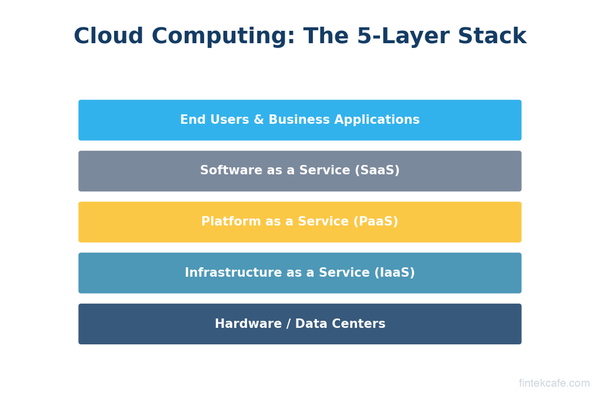
What Is Cloud Computing? A Complete Guide for Business Leaders
What is cloud computing and why does it matter for your business? A plain-English guide to IaaS, PaaS, SaaS, cost models, migration, and security for executives.
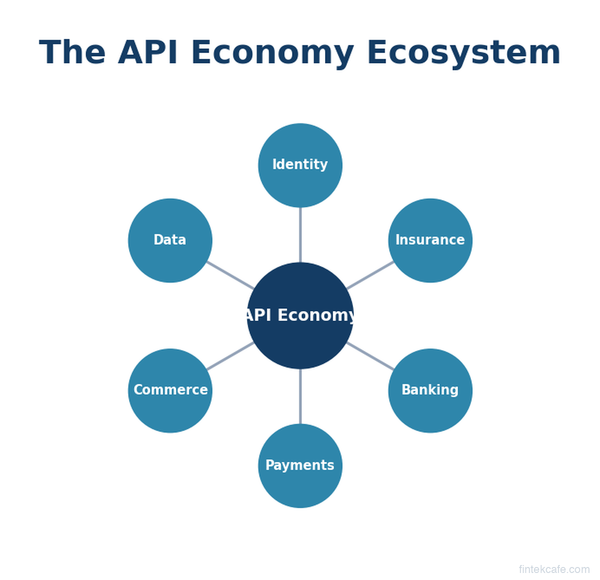
The API Economy Explained: How APIs Create Billion-Dollar Businesses
What is the API economy? Learn how APIs power Stripe, Twilio, and Plaid, why API strategy matters for every business, and how to evaluate API partnerships.