
The Complete Guide to Digital Wallets: Apple Pay, Google Pay, and Beyond
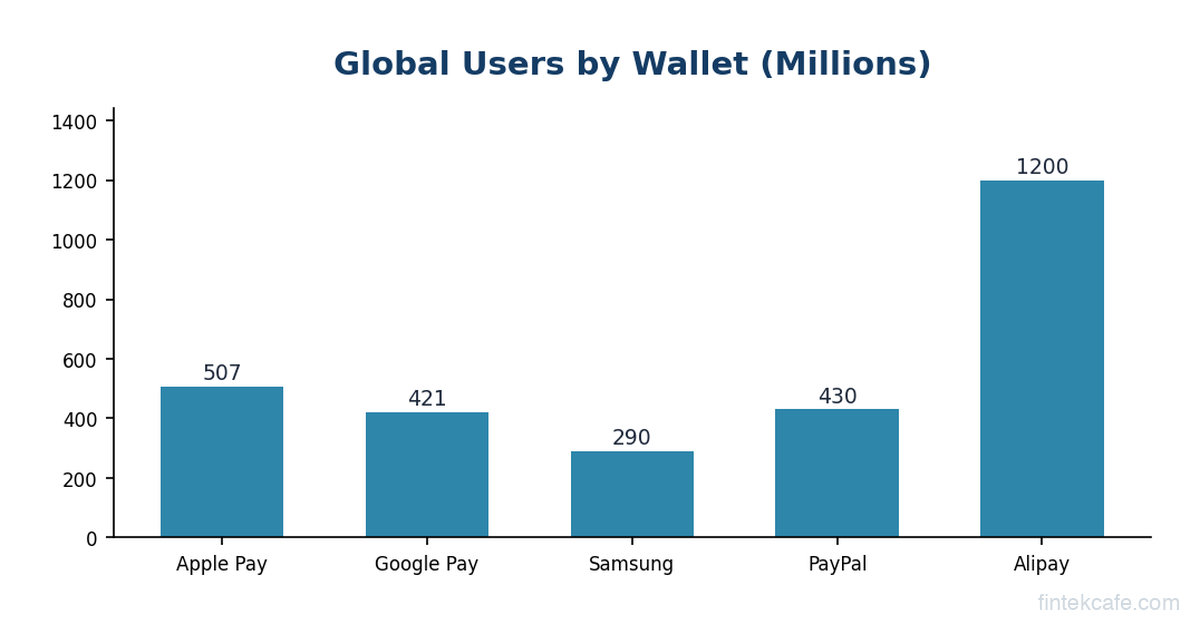
In 2025, digital wallets surpassed cash as the most-used payment method globally, accounting for roughly 50% of e-commerce transactions worldwide and over 30% of point-of-sale transactions. Apple Pay alone processes an estimated $6 trillion in annual transaction volume. Google Pay serves over 150 million users across 40+ countries.
These numbers represent one of the fastest shifts in consumer behavior in financial services history. A technology that barely existed a decade ago now handles more money than many national banking systems.
Yet most people, including many business professionals, have only a surface-level understanding of how digital wallets work. They tap their phone, the payment goes through, and they move on. The technology underneath, tokenization, near-field communication, secure elements, host card emulation, is invisible by design.
This guide explains all of it. How digital wallets actually process a payment. Why they're more secure than physical cards. How the major wallets differ. What's coming next. Whether you're a business leader evaluating payment acceptance, a professional curious about the technology, or simply someone who wants to understand what happens when you tap your phone, this is the complete picture.
What Is a Digital Wallet?
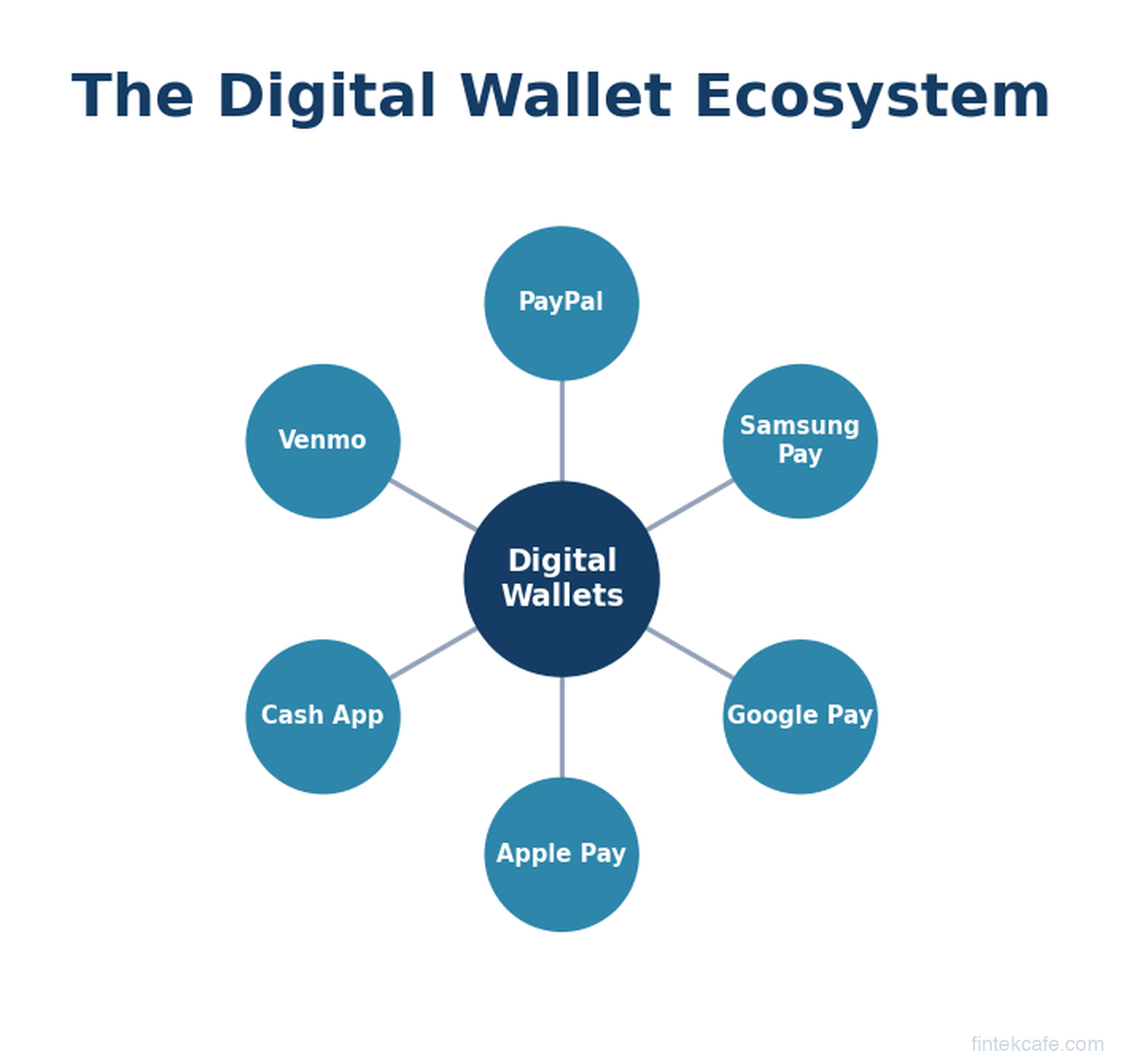
A digital wallet is software that stores payment credentials (credit cards, debit cards, bank accounts, loyalty cards) on a mobile device and enables payments without presenting a physical card. The three dominant digital wallets in Western markets are Apple Pay, Google Pay, and Samsung Pay.
But "digital wallet" is a broad term that covers several distinct types:
Pass-through wallets store your existing card credentials and use them to make payments. Apple Pay and Google Pay are pass-through wallets. They don't hold your money. They hold a tokenized version of your card and use it to process transactions through the existing card network infrastructure (Visa, Mastercard, Amex).
Stored-value wallets actually hold your money. PayPal, Venmo, and Cash App are stored-value wallets. When you add money to Venmo, it sits in Venmo's custodial account until you spend it or transfer it out. These wallets can process payments without involving a card network.
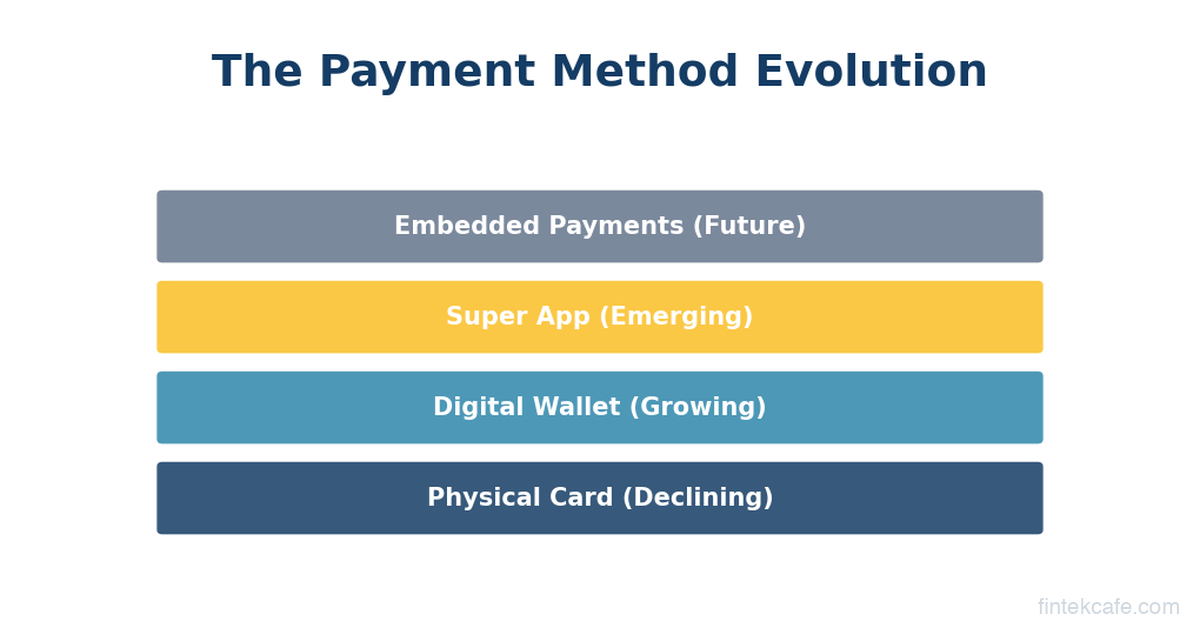
Super-app wallets combine payments with a broad ecosystem of services. WeChat Pay and Alipay in China are the prime examples. They handle payments, transfers, bills, investments, insurance, and more, all within a single app. No Western wallet has achieved this scope.
Crypto wallets store private keys for cryptocurrency. MetaMask, Phantom, and hardware wallets like Ledger fall in this category. They operate on blockchain rails rather than traditional payment networks.
This guide focuses primarily on pass-through wallets (Apple Pay, Google Pay, Samsung Pay) because they represent the fastest-growing segment and have the most direct impact on mainstream commerce.
How a Digital Wallet Payment Actually Works
When you tap your phone at a payment terminal, a complex sequence of events happens in under two seconds. Here's what's actually going on.
Step 1: Tokenization (Happens When You Add a Card)
Before you make your first payment, the wallet must tokenize your card. This happens when you first add your Visa or Mastercard to Apple Pay or Google Pay.
Tokenization replaces your actual card number (the PAN, or Primary Account Number) with a unique substitute called a token. The token is a 16-digit number that looks like a card number but can only be used by your specific device, through your specific wallet.
Here's the process:
- You photograph your card or enter the number in Apple Pay
- Apple sends the card details to the card network (Visa, Mastercard, or Amex)
- The card network contacts your issuing bank to verify the card
- Your bank may require additional verification (SMS code, in-app confirmation, or a call)
- Once approved, the card network generates a Device Account Number (DAN), the token, and sends it back to your phone
- Your phone stores the token in a secure environment (more on this below)
Your actual card number is never stored on your phone. If your phone is stolen or hacked, the attacker gets a token that is useless on any other device.
Step 2: NFC Communication (Happens at the Terminal)
When you hold your phone near a contactless payment terminal, the two devices communicate through Near-Field Communication (NFC). NFC is a short-range wireless technology that works at distances of 4 centimeters or less.
The terminal broadcasts a low-power radio signal. When your phone enters range, the NFC chip picks up the signal and establishes a connection. The terminal asks your phone: "Do you have a payment credential?"
Your phone responds with:
- The Device Account Number (the token)
- A one-time cryptogram (a unique code generated for this specific transaction)
- The cryptogram is created using a key stored in the phone's secure element, combined with transaction-specific data (amount, merchant, timestamp)
This cryptogram is what makes digital wallets fundamentally more secure than physical cards. Even if someone intercepts the communication, the cryptogram is valid for only one transaction. It cannot be replayed.
Step 3: Authorization (Happens Through the Card Network)
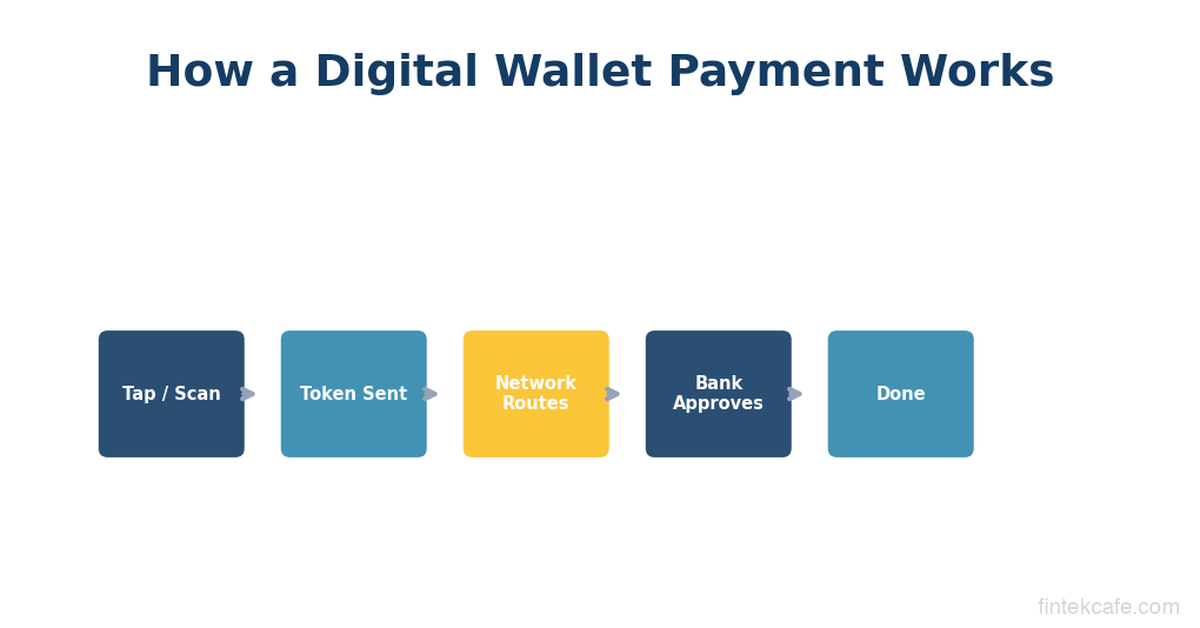
From this point, the transaction follows the standard card authorization flow:
- The terminal sends the token and cryptogram to the merchant's acquiring bank (processor)
- The acquirer forwards it to the card network (Visa, Mastercard)
- The card network detokenizes the transaction (converts the token back to your real card number) and verifies the cryptogram
- The card network forwards the transaction (with your real card number) to your issuing bank
- Your bank approves or declines the transaction
- The approval flows back: issuer, network, acquirer, terminal
- Your phone shows "Done" or a checkmark
This entire process takes 300-500 milliseconds for the NFC portion and another 1-2 seconds for the network authorization. The total experience is typically faster than inserting a chip card.
Step 4: Authentication (Happens on Your Phone)
Before any of this happens, your phone must verify that you (not someone else holding your phone) authorized the payment. This is where biometrics come in.
Apple Pay requires Face ID, Touch ID, or the device passcode before releasing the payment credential. On Apple Watch, a double-click of the side button confirms the wearer (the watch must be on a wrist that's been authenticated since it was last put on).
Google Pay uses device unlock (fingerprint, PIN, pattern, or face unlock). For transactions under certain thresholds (varies by country, typically $50-100), Google Pay may not require re-authentication if the phone is already unlocked.
Samsung Pay requires fingerprint, iris scan, or PIN authentication for every transaction.
This biometric requirement means digital wallets have a built-in second factor of authentication that physical cards lack. A stolen credit card can be used by anyone. A stolen phone with Apple Pay requires the thief to have your face, fingerprint, or passcode.
Apple Pay vs Google Pay vs Samsung Pay: How They Differ
All three major wallets achieve the same outcome (contactless payment), but they use different technical approaches and have different strategic positions.
Apple Pay
Technology: Uses a dedicated Secure Element (SE), a tamper-resistant hardware chip inside every iPhone, Apple Watch, iPad, and Mac. The SE stores the token and generates cryptograms. It operates independently from the main processor, meaning even if iOS is compromised, the payment credentials in the SE remain protected.
Market position: The dominant digital wallet in markets where iPhone has high market share (US, UK, Japan, Australia). Apple charges card issuers 0.15% of each credit card transaction (0.05% for debit) as a fee for providing the wallet infrastructure. This is controversial because Apple controls the only NFC payment interface on iPhones (until recently, when EU regulators forced Apple to open NFC access under the Digital Markets Act).
Transaction volume: Estimated $6+ trillion annually. Apple doesn't disclose exact figures, but analyst estimates based on Visa/Mastercard data suggest Apple Pay processes more volume than all other digital wallets in the US combined.
Unique features: Transit support (tap to ride in 30+ cities), Apple Pay Later (discontinued but was a BNPL product), Apple Cash (peer-to-peer payments in the US), Apple Pay on the web (Safari and Mac).
Google Pay
Technology: Uses Host Card Emulation (HCE), a software-based approach. Instead of a dedicated hardware chip, Google Pay stores encrypted tokens in the cloud and downloads them to the phone as needed. The phone's Trusted Execution Environment (TEE), a secure area of the main processor, handles cryptographic operations.
HCE has an important trade-off. It doesn't require special hardware (any Android phone with NFC can use Google Pay), which enables broader adoption. But it's theoretically less secure than a dedicated SE because the TEE shares a processor with the main operating system. In practice, no significant exploits have targeted Google Pay through this vector.
Market position: Dominant in India (through its integration with UPI, serving over 300 million users) and important in Android-heavy markets. In the US and Western Europe, Google Pay has lower adoption than Apple Pay despite Android's larger global market share.
Transaction volume: Difficult to estimate globally because UPI transactions in India (which flow through Google Pay but use separate rails) dwarf Western card-based volumes. Outside India, Google Pay processes significantly less volume than Apple Pay.
Unique features: Integration with Google's ecosystem (Chrome autofill, Gmail ticket storage), UPI integration in India, broader merchant online acceptance than Apple Pay in some markets.
Samsung Pay
Technology: Samsung Pay is unique because it supported both NFC and Magnetic Secure Transmission (MST). MST emitted a magnetic signal that mimicked a card swipe, allowing Samsung Pay to work at older terminals that didn't support contactless payments. This was Samsung Pay's key differentiator at launch. However, Samsung discontinued MST support in newer devices (starting with the Galaxy S21 series in 2021) as NFC terminal adoption became nearly universal.
Samsung Pay uses a combination of hardware SE (Knox Vault on newer devices) and ARM TrustZone for secure token storage.
Market position: Declining in relative terms. Samsung Pay peaked in relevance when MST gave it compatibility with older terminals. With MST deprecated and NFC ubiquitous, Samsung Pay's differentiation has largely disappeared. Samsung has been shifting focus toward Samsung Wallet, a broader platform that includes passes, IDs, and crypto in addition to payments.
Transaction volume: Samsung doesn't disclose figures, but industry estimates suggest it's significantly behind both Apple Pay and Google Pay.
The Security Model: Why Digital Wallets Are Safer Than Physical Cards
This is counterintuitive for many people. How can a phone be more secure than a physical card? The answer involves multiple layers of protection that physical cards simply don't have.
Tokenization eliminates card number theft. When you tap your phone, your actual card number never touches the merchant's system. If the merchant is breached (as happened with Target in 2013, affecting 40 million cards), digital wallet transactions are unaffected because the stolen tokens are useless without the device-specific cryptographic keys.
One-time cryptograms prevent replay attacks. Each transaction generates a unique cryptogram. Even if someone intercepts a digital wallet transaction (extremely difficult given NFC's 4cm range), the captured data cannot be used for a second transaction.
Biometric authentication prevents unauthorized use. A physical card can be used by anyone who has it. A digital wallet requires the owner's biometric (face, fingerprint) or PIN. Fraud rates on digital wallet transactions are dramatically lower than on physical card transactions. Visa has reported that tokenized transactions (including digital wallets) have fraud rates roughly 50% lower than non-tokenized transactions.
Remote lock and erase. If your phone is lost or stolen, you can remotely disable the wallet through Find My iPhone (Apple) or Find My Device (Google). You cannot remotely disable a physical card, only cancel it and wait for a replacement.
No skimming risk. Physical cards can be skimmed (their magnetic stripe data copied by a hidden reader). Digital wallets don't transmit data that can be skimmed because the token is device-bound and the cryptogram is one-time.
The net result: digital wallets are substantially more secure than physical cards for both consumers and merchants. This is why card networks (Visa, Mastercard) actively promote digital wallet adoption. Every wallet transaction reduces their fraud exposure.
Merchant Adoption: Where Digital Wallets Work (And Where They Don't)
Contactless payment terminal adoption has accelerated dramatically since the COVID-19 pandemic. In the US, roughly 85-90% of merchant terminals now support NFC payments, up from about 30% in 2019. In the UK, Australia, and Canada, contactless acceptance is nearly universal.
However, adoption isn't uniform. Gas station pumps are among the slowest to upgrade (outdoor terminals are expensive to replace). Small, independent businesses in rural areas may still rely on older terminals. Vending machines have been slow to adopt, though that's changing.
For merchants, accepting digital wallet payments involves essentially zero incremental effort if they already have an NFC-enabled terminal. The transactions are routed through the same card networks and processed through the same merchant accounts. The merchant pays the same interchange fees as a regular card transaction.
The primary benefit for merchants is faster checkout times. A contactless tap is 2-3 seconds faster than a chip insertion, which may not sound significant but adds up across thousands of transactions and improves the customer experience. Some merchants also report slightly higher average transaction values from digital wallet users, likely because the frictionless payment experience reduces purchase hesitation.
The Economics: Who Makes Money and How
Digital wallets have created a new economic layer on top of the existing card payment infrastructure.
Apple earns an estimated 0.15% of every credit card transaction processed through Apple Pay (0.05% for debit). On an estimated $6+ trillion in volume, this generates roughly $4-6 billion annually in pure margin revenue. Apple negotiated this fee with the card networks and major banks when Apple Pay launched in 2014. Banks initially resisted but accepted because they believed (correctly) that digital wallets would drive more card transactions and reduce fraud costs.
Google does not charge banks or card networks a per-transaction fee for Google Pay. Google's monetization strategy is indirect: Google Pay drives engagement with the Android ecosystem, provides transaction data for ad targeting (Google says it doesn't use specific transaction data for ads, but the engagement data is valuable), and positions Google as infrastructure for future financial services.
Samsung similarly does not charge per-transaction fees. Samsung Pay generates value primarily through partnership deals with banks and through Samsung's broader device ecosystem.
Card networks (Visa, Mastercard) benefit from digital wallets because every wallet transaction is a card transaction. Digital wallets displace cash, not cards. Visa has explicitly stated that contactless payments (including digital wallets) grow their total transaction volume. Every cash transaction that converts to a digital wallet tap generates interchange revenue that didn't exist before.
Issuing banks benefit from lower fraud costs (tokenization reduces fraud rates), higher card usage (wallets make payments more convenient), and top-of-wallet positioning (the card set as default in a digital wallet gets used more). Banks pay Apple's 0.15% fee from their interchange revenue, which they consider worthwhile for these benefits.
The EU Digital Markets Act: Breaking Apple's Lock
In 2024, the European Union's Digital Markets Act (DMA) forced Apple to open NFC access on iPhones to third-party payment apps. Previously, only Apple Pay could access the iPhone's NFC chip for payments. Rival wallets like Google Pay, Samsung Pay, and bank-specific apps had to route through Apple Pay's infrastructure on iPhones.
The DMA changed this. In the EU, banks and fintech companies can now build payment apps that access the iPhone's NFC directly, bypassing Apple Pay entirely. This means a European bank can offer its own contactless payment app on iPhone without sharing revenue with Apple.
The implications are significant. Apple's 0.15% fee, which generates billions annually, could face pressure if banks route transactions through their own apps instead of Apple Pay. In markets where the DMA doesn't apply (the US, for now), Apple retains its NFC monopoly.
This regulatory development is worth watching. If the EU model succeeds (more competition, lower fees, continued security), other jurisdictions may follow. South Korea, Japan, and India have already explored similar NFC access requirements. The US Department of Justice's antitrust case against Apple includes allegations about NFC restriction, which could eventually open the US market too.
QR Codes vs NFC: The Global Divide
While NFC dominates in the US, Europe, and parts of Asia, much of the world uses QR code-based payment systems instead.
How QR payments work: Instead of tapping a phone, the customer either scans a QR code displayed by the merchant (customer-presented model) or shows a QR code on their phone screen for the merchant to scan (merchant-presented model). The QR code triggers a payment through a mobile app connected to the customer's bank account, wallet balance, or card.
Where QR dominates:
- China: Alipay and WeChat Pay process the vast majority of consumer payments through QR codes. NFC exists but is secondary.
- India: UPI payments (Google Pay, PhonePe, Paytm) use QR codes as the primary interface. Over 12 billion UPI transactions per month flow through QR-based interfaces.
- Southeast Asia: GrabPay, GoPay, and regional e-wallets use QR codes extensively.
- Brazil: PIX, the instant payment system, uses QR codes for in-person payments.
Why QR persists: QR codes require no special hardware. A merchant needs only a printed QR code (costs pennies) rather than an NFC terminal (costs $100-500). In developing markets where small merchants can't afford terminals, QR codes democratize digital payments. India's UPI QR system has brought digital payments to street food vendors, auto-rickshaw drivers, and market stalls.
Where NFC wins: NFC is faster (tap vs scan/confirm), works without internet connectivity on the phone (for small transactions), and feels more seamless. In markets with widespread terminal infrastructure, NFC provides a better user experience.
The global payment landscape is converging toward both. Apple Pay has added QR code support for certain markets. Google Pay uses both NFC and QR depending on the region. The future likely involves hybrid wallets that use whatever technology is available at the point of sale.
What's Coming Next
CBDC Wallets
Central bank digital currencies will need consumer wallets for distribution. The European Central Bank's digital euro project explicitly plans to use existing wallet infrastructure (potentially Apple Pay and Google Pay) alongside a dedicated ECB wallet app. China's e-CNY already has its own wallet app with over 120 million individual wallets opened.
If CBDCs become mainstream, digital wallets become the interface between citizens and their central bank's digital currency. This elevates wallets from convenience tools to critical financial infrastructure.
Digital Identity
Apple Wallet already supports driver's licenses and state IDs in several US states. Google Wallet supports digital IDs in some jurisdictions. The trajectory is clear: digital wallets will hold not just payment credentials but identity documents, health insurance cards, building access passes, event tickets, and more.
When your wallet holds both your money and your identity, it becomes the most important app on your phone. The competitive implications are enormous. Whoever controls the default wallet controls the digital identity layer.
Offline Payments
Both Apple Pay and Google Pay are exploring expanded offline payment capability. Currently, digital wallets work offline for small transactions (using pre-generated cryptograms) but require connectivity for larger amounts. Future NFC protocols may enable fully offline wallet-to-wallet transfers, which would be essential for CBDC deployment in areas with unreliable internet.
Interoperability
Today, you can't send money from Apple Pay to Google Pay. Cross-wallet interoperability has been limited because each wallet is a closed ecosystem. This may change as regulators push for open standards. India's UPI is interoperable by design (any UPI app can pay any other). Europe's SEPA Instant Credit Transfer scheme enables cross-border instant payments. Western digital wallets will likely face interoperability requirements eventually.
Key Takeaways
-
Digital wallets use tokenization and one-time cryptograms to process payments. Your actual card number never touches the merchant's system, making wallet payments substantially more secure than physical cards.
-
Apple Pay dominates through hardware integration and NFC control. Apple's Secure Element approach and (outside the EU) exclusive NFC access give it structural advantages over Google Pay and Samsung Pay.
-
The security case is clear. Digital wallets have fraud rates roughly 50% lower than physical card transactions, with biometric authentication, remote lock, and no skimming risk.
-
QR codes and NFC serve different markets. NFC dominates in developed markets with terminal infrastructure. QR codes dominate in developing markets where terminal costs are prohibitive. The future is hybrid.
-
Wallets are becoming more than payment tools. Digital identity, transit passes, CBDC distribution, and offline payments will make wallets the most critical app on your phone.
Go deeper with our Digital Payments Masterclass, which covers digital wallets, mobile payments, and the full payment infrastructure stack in detail.
Frequently Asked Questions
Is Apple Pay safer than using a physical credit card?
Yes, significantly. Apple Pay never shares your actual card number with merchants (it uses a token instead), generates a one-time cryptogram for each transaction that can't be reused, and requires Face ID or Touch ID authentication before every payment. Physical cards expose your card number to every merchant and can be skimmed, cloned, or used by anyone who has the card. Visa reports that tokenized transactions (including Apple Pay) have fraud rates roughly 50% lower than non-tokenized transactions.
Does using Apple Pay or Google Pay cost anything extra?
No. Consumers pay nothing extra to use digital wallets. The transaction is processed through your existing card at the same price you'd pay with a physical card. The fees (Apple's 0.15% per credit transaction, for example) are paid by the card-issuing bank out of their existing interchange revenue, not charged to the consumer or merchant.
Can digital wallets work without internet?
Partially. Apple Pay and Google Pay can process small contactless transactions offline using pre-stored cryptograms. Your phone generates a limited set of one-time codes when it's connected, which can be used when offline. For larger transactions or after the pre-stored codes are exhausted, connectivity is required. The merchant's terminal still needs an internet connection to process the authorization through the card network, so fully offline payments (both sides disconnected) are not yet standard.
Why do some stores still not accept Apple Pay or Google Pay?
The primary reason is terminal hardware. Older point-of-sale systems without NFC capability can't accept contactless payments. Gas pumps, parking meters, and vending machines have been particularly slow to upgrade because of the cost and complexity of replacing outdoor or embedded hardware. Some merchants also have exclusive payment partnerships (like Walmart with Walmart Pay) that led them to disable NFC acceptance, though this is becoming less common as consumer demand for contactless payments grows. As of 2026, roughly 85-90% of US merchant locations support NFC payments.
Related Articles
How Central Bank Digital Currencies Will Change Finance
What are CBDCs and how will they change banking? A complete guide to central bank digital currencies, from China's digital yuan to the EU's digital euro.
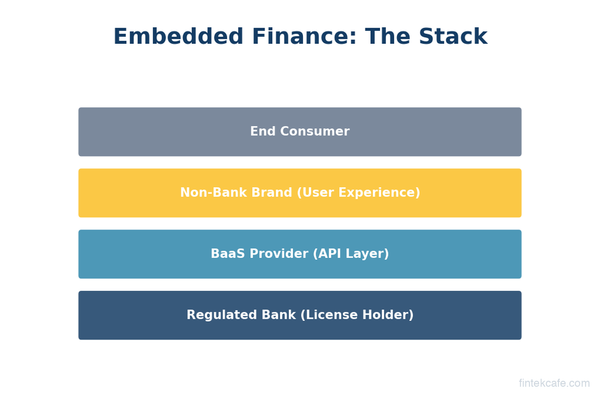
What Is Embedded Finance? How Non-Banks Are Becoming Banks
What is embedded finance and why are non-banks offering financial services? A complete guide to embedded payments, lending, insurance, and banking as a service.
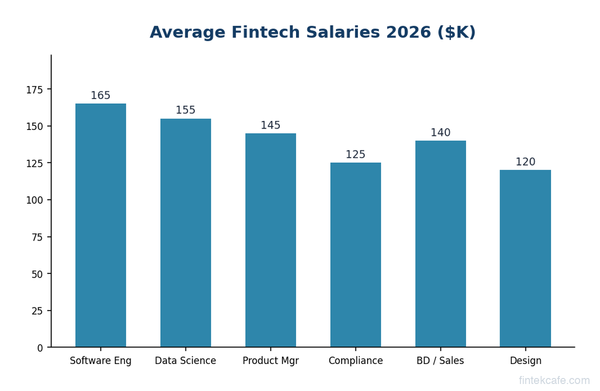
How to Get Into Fintech: Career Guide for 2026
How to get into fintech in 2026. Key roles, salary ranges, skills needed, top companies hiring, and how to break in from banking, consulting, or tech.