
Contact less Payments - QR Code

Background
QR (Quick Response) codes were first created in Japan. They were designed to overcome the limits of barcodes.
Barcodes solved a big problem at retail cash registers. A cashier could scan the barcode on an item at checkout, and the price would appear right away. This made checkout times much faster.
However, barcodes could only store a small amount of information -- about 20 alphanumeric characters. Users went to DENSO CORPORATION, the barcode developers at the time, and asked for a better solution that could hold more data.
We'd like the capability to code Kanji and Kana characters as well as alphanumeric ones.
That is how QR code development began. It is a great example of how solving real customer problems can create a product with lasting "product-market" fit.
Whats Inside QR code image?
Let us look at a very simple QR code below.

Pull out your smartphone. If you are using an iPhone, open your camera and point it at the image above. Your camera should show the letter "A" at the top.
So what just happened? I created a QR code and embedded a piece of information inside it -- the letter "A." In QR code terms, "A" uses Alphanumeric encoding. The letter "A" has a decimal value of "10," which is "001010" in binary. You can see this under "segment 0 data" in the table below.
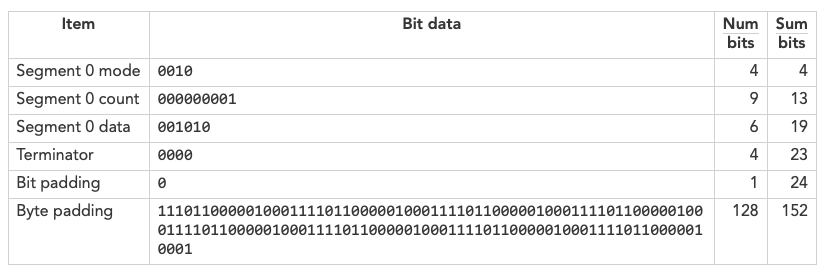
The hexadecimal values of the above bytes (groups of 8 bits) are: 20 09 40 EC 11 EC 11 EC 11 EC 11 EC 11 EC 11 EC 11 EC 11
This data forms a short or long block. In this case, there is only one block. An ECC code (shown in bold below) is added for error correction. The final code words with ECC are: "20 09 40 EC 11 EC 11 EC 11 EC 11 EC 11 EC 11 EC 11 EC 11CB 0A 1D 28 A2 2D 12"
The final code is then turned into a QR code image. The image includes "finder patterns" (the three boxes on three corners of the QR code), "timing patterns," "format bits," and a "mask" pattern.
QR code decoders can read these image patterns. In the image, black blocks represent "1" and white blocks represent "0." The decoder extracts the raw byte data in hexadecimal and reveals the embedded information -- our capital letter "A."
All this is great, but what does QR code have to do with payments?
Smartphones are getting cheaper and the internet is becoming more widespread. QR codes are now replacing -- or in many cases creating -- new ways for merchants to collect payments. Best of all, merchants do not need to invest in card readers.
Let us walk through some QR code use cases for digital payments.
Asian countries are leading the digital payment revolution using QR codes for contactless payments. As of this writing, most Western countries use NFC (near field communication) for contactless payments. However, the 2020 coronavirus pandemic is changing this. More merchants are now choosing QR codes for contactless payments.
For all the use cases below, the merchant needs to register with a digital gateway payment processor and get a QR code.
Static QR code at merchant - One time QR code Printout at checkout!
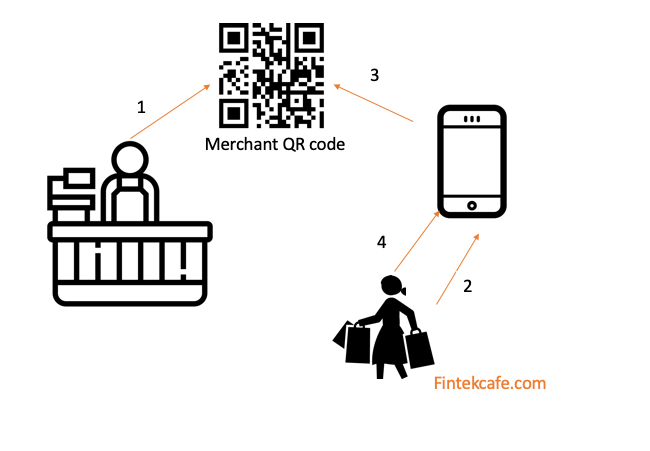
This is the simplest case and the most popular in developing countries or among small merchants.
The merchant gets a static QR code and displays it at the checkout counter. It can be a simple printout or an image stuck on a wall. The shopper pulls out their smartphone, scans the QR code, enters the purchase amount, and completes the transaction.
Dynamic QR code at merchant-transaction specific QR Code
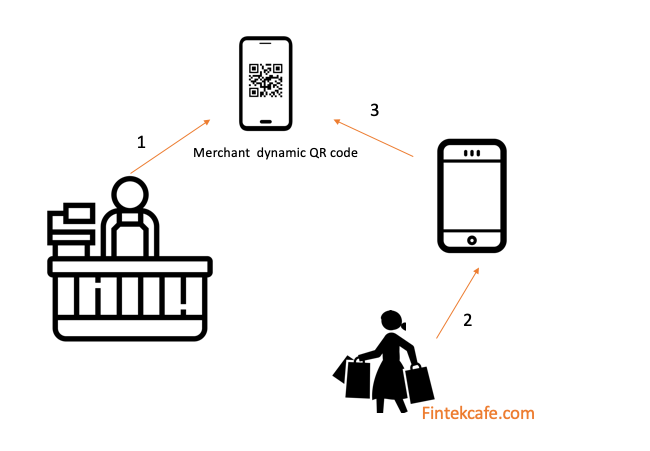
This is a slight variation of the static QR code. Here, the merchant's QR code is dynamic. It already includes the purchase amount.
The merchant uses their phone to generate a dynamic QR code with the transaction amount. The shopper then scans this QR code from their phone and completes the transaction.
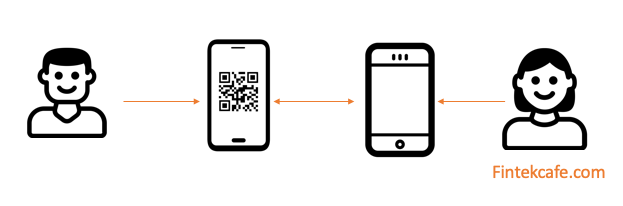
Peer-Peer Money Transfer
This use case is similar to the dynamic merchant QR code. The difference is that the two parties can be friends or family. Neither one needs to be a merchant.
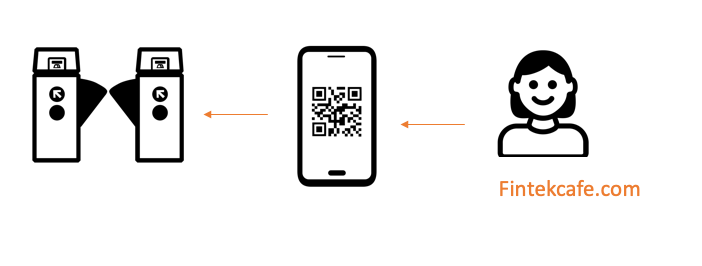
Public Transit Payment Collection
In this use case, the transit system can set a preset amount for a fare. The passenger enters the amount, generates a QR code on their phone, and displays it at the gate to complete the transaction.
QR codes are simple to use and a very powerful tool for digital payments. In the near future, we will likely see many more ways QR codes are put to use.
Related Articles
Credit Card Surcharging: When Passing On Card Costs Is Legal, and When It Costs More Than It Saves
Credit card surcharge rules differ by network, state and country. When a surcharge is legal, what it does to sales, and cheaper ways to cut card costs.
Instant Settlement Is Quietly Eating the Float Business
Much of payments profit is interest on money in transit. Instant rails remove the transit, rates swing the yield. How to find float dependence.
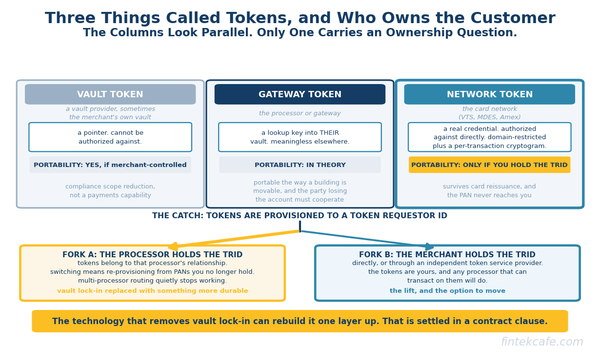
Network Tokens: Why Your Stored Card Numbers Are Being Replaced
Vault, gateway, and network tokens are three different things. How network tokenization lifts authorization rates, and the processor lock-in nobody flags.